Reference
LLM / Image gen
This tab chooses the language model Nawa talks to, an optional image server, an optional decision model, and when long conversations are compacted. For a step-by-step walk-through of connecting each kind of provider, see Connect a provider.
LLM setups
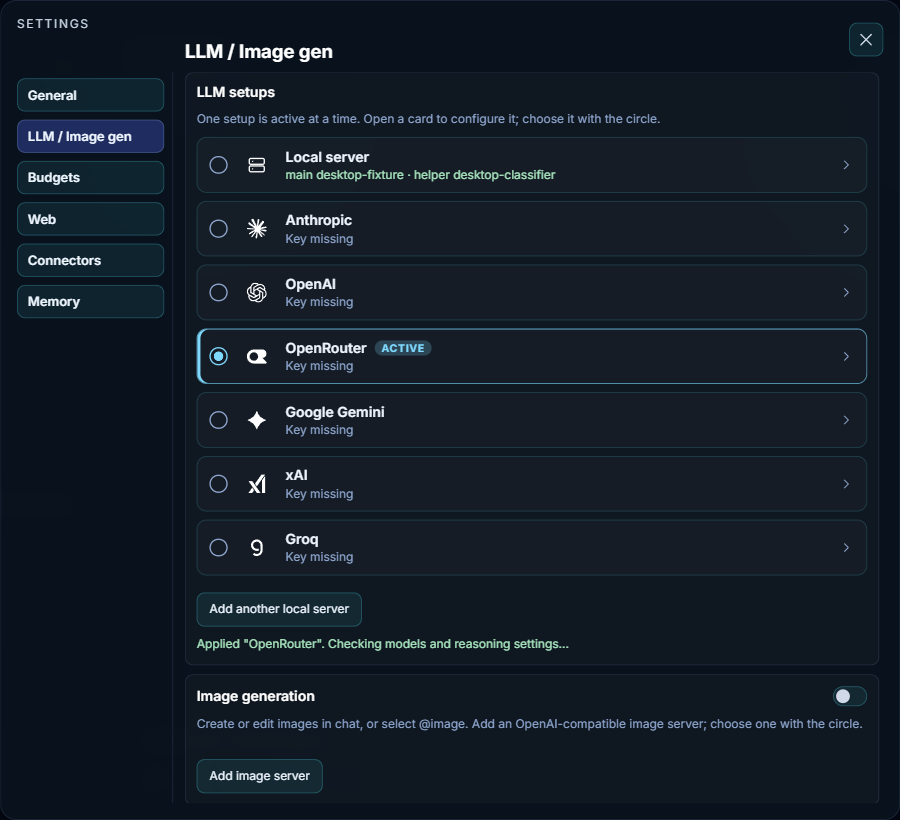
Each card is one setup: a provider, or a server of your own. Exactly one setup is active at a time, marked Active; it answers your chats, runs the coder, and serves the background helper. Click a card's name to open its form beneath it; this also makes it the active setup, and clicking the name again closes the form. The circle at a card's left makes a card the active setup without opening it. The line under each name is its status: Key missing until a key is saved, then the model or models it uses.
- Cloud cards — Anthropic, OpenAI, OpenRouter, Google Gemini, xAI and Groq
- Each holds an API key, a Test connection button, one model, its temperature and its reasoning level. That one model serves every role.
- Local server
- A server you run yourself or reach on your network, such as vLLM or LM Studio. It has a name and three roles, described below.
- Add another local server
- Adds a second local-server card, for a second machine or a different server. Switching cards switches every role at once.
The note under the list reports the last change, for example that a setup was applied and its model lists refreshed.
The roles of a local server
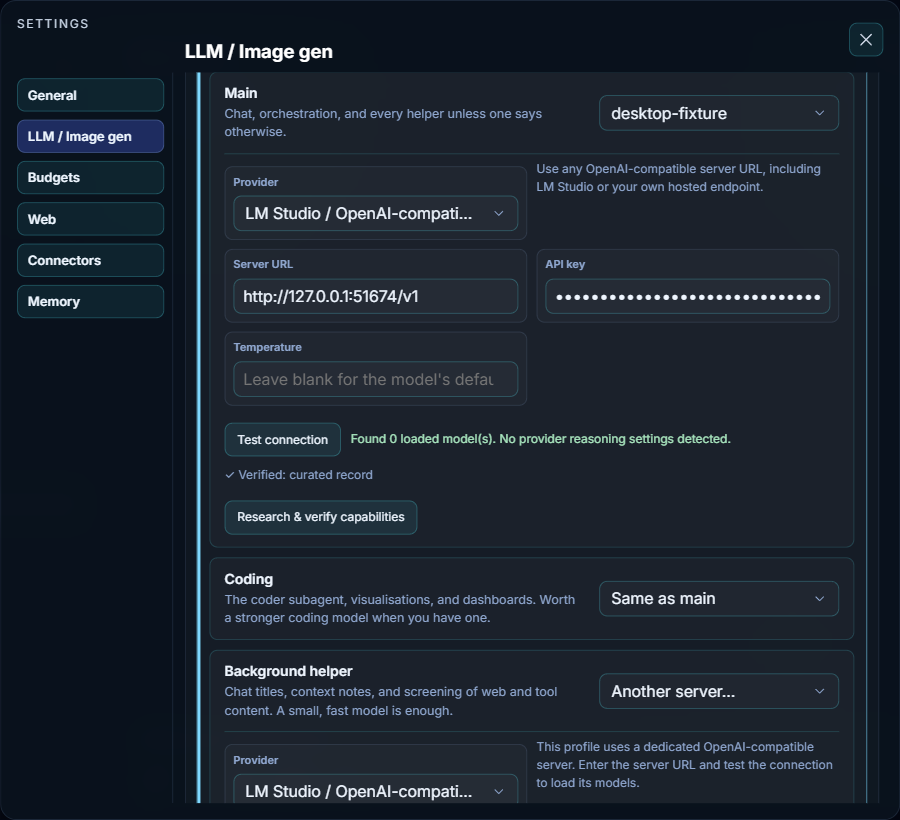
- Name
- Tells your servers apart in the list. It is saved when you leave the field or press Enter.
- Main
-
Answers chats and orchestrates tools, and serves every helper unless one says otherwise. The list at the right of its heading picks the model, once the server's models are loaded. Its fields:
- Provider — vLLM server, LM Studio / OpenAI-compatible server, or OpenAI API for the hosted API. The note beside it describes the choice.
- Server URL — the server's address, for example
http://127.0.0.1:1234/v1. - API key — only if your server requires one.
- Temperature — from 0 to 2; blank uses the model's own default. Lower is steadier, higher more varied.
- Test connection — loads the model list and detects which reasoning controls the model supports. The status beside it says what was found.
- Reasoning — once the test has detected support, either an on/off switch or a list of levels, depending on what the model accepts. Models without reasoning have nothing to set.
- Research & verify capabilities — appears when Nawa has no verified record of this model's context window and reasoning support. It runs a short research task and stores what it verifies, so later sessions do not have to guess.
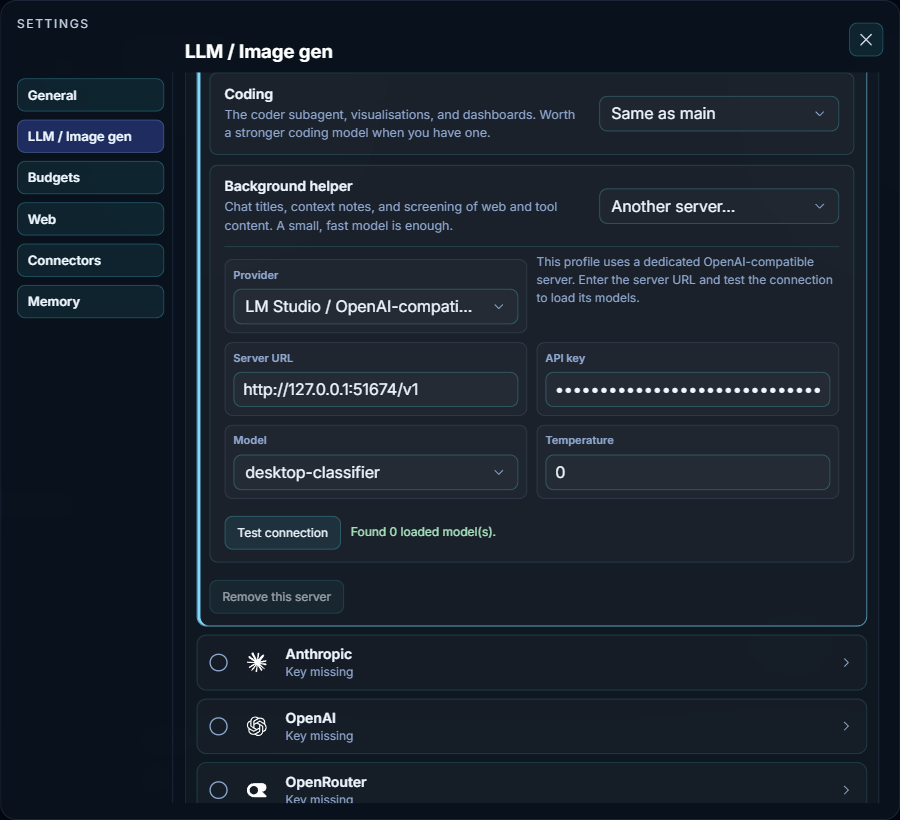
- Coding
- The coder that builds and checks apps, visualisations and dashboards. A stronger coding model helps here when you have one.
- Background helper
- Chat titles, context notes, and screening of web and tool content before the main model reads it. A small, fast model is enough.
Coding and Background helper each have one list at the right of their heading:
- Same as main — use the Main model.
- A model name — another model from the same server.
- Another server… — a server of its own, with the same Provider, Server URL, API key, Model, Temperature and Test connection fields as Main. A blank URL or key reuses Main's.
- Remove this server
- Removes the local-server card you are on, as long as one local card remains.
Image generation, fast decisions and advanced
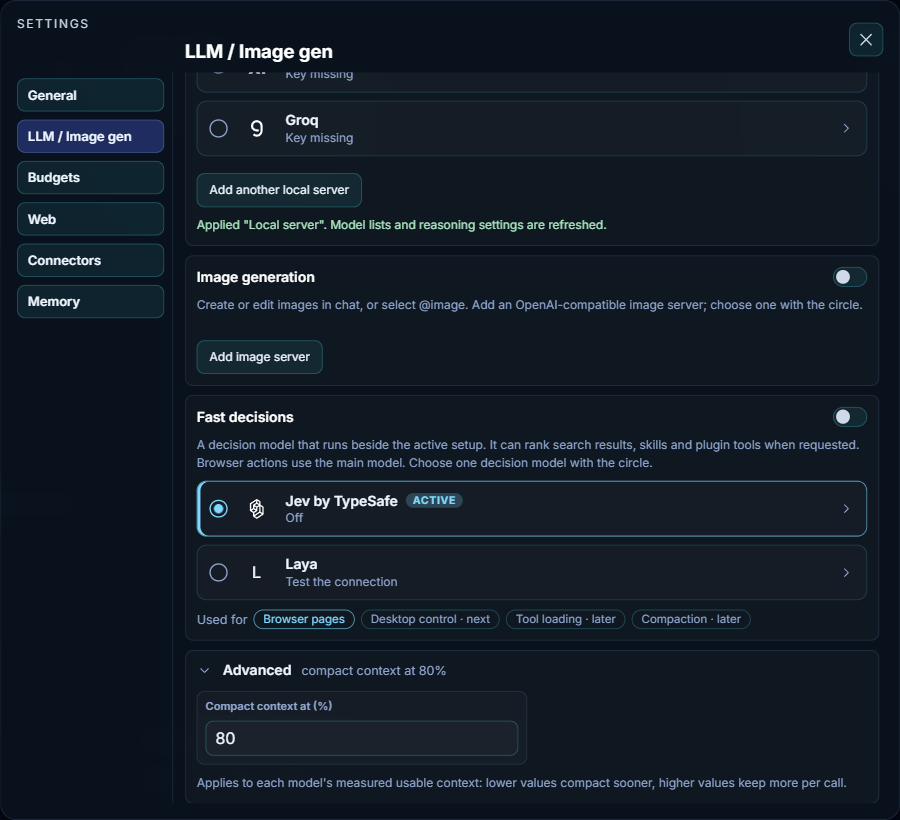
- Image generation
- Lets Nawa create and edit images in chat, or when you type
@image. Add image server adds a card with Name, Server URL, API key, Model, and optional Default size, Inference steps and Request timeout (seconds) (300 unless you change it), plus Test connection and Remove server. The server must be OpenAI-compatible for images. Choose a server with its circle, then turn the section on with the switch in its heading. Turning it off hides the image tool from new turns but keeps the saved servers. The image server is separate from the chat model. - Fast decisions
-
An optional decision model beside the active setup. When the main model asks for it, it ranks search results, skills and plugin tools; the main model still chooses what to use. Browser actions always use the main model. Two cards are offered, chosen with their circles:
- Jev by TypeSafe — Source is TypeSafe with a key of its own, or Through OpenRouter with the key on the OpenRouter card. Base URL (Endpoint through OpenRouter) shows the provider's default address as a hint; leave it blank unless you use a different address.
- Laya — a Server on your own machine or fleet (
http://127.0.0.1:8080by default), with an API key only if that server asks for one. Page text then stays on your machine. Its worker does not start by itself after a reboot; load it from the fleet dashboard.
A card's name opens it, which also makes it the card in use; inside is its own Test connection, and the card's status shows the result. Nothing is consulted until the switch in the section heading is on. The Used for row still highlights Browser pages, but browser pages no longer use the decision model; the note above the cards is current. See Decisions beside the LLM.
- Advanced — Compact context at (%)
- When a conversation fills this share of the model's usable context window, Nawa compacts it: older parts are condensed while the full transcript and stored evidence stay available. Lower values compact sooner; higher values keep more in each request. Allowed values run from 50 to 95, and the shipped value is 80. The summary beside Advanced shows the current value. See Context and compaction.