Reference
Budgets
Budgets put limits on how much work Nawa does at once and how large each model request may be. The shipped values suit most setups; change them when a provider or a machine needs it. For what the composer's token numbers mean, see Tokens and budgets.
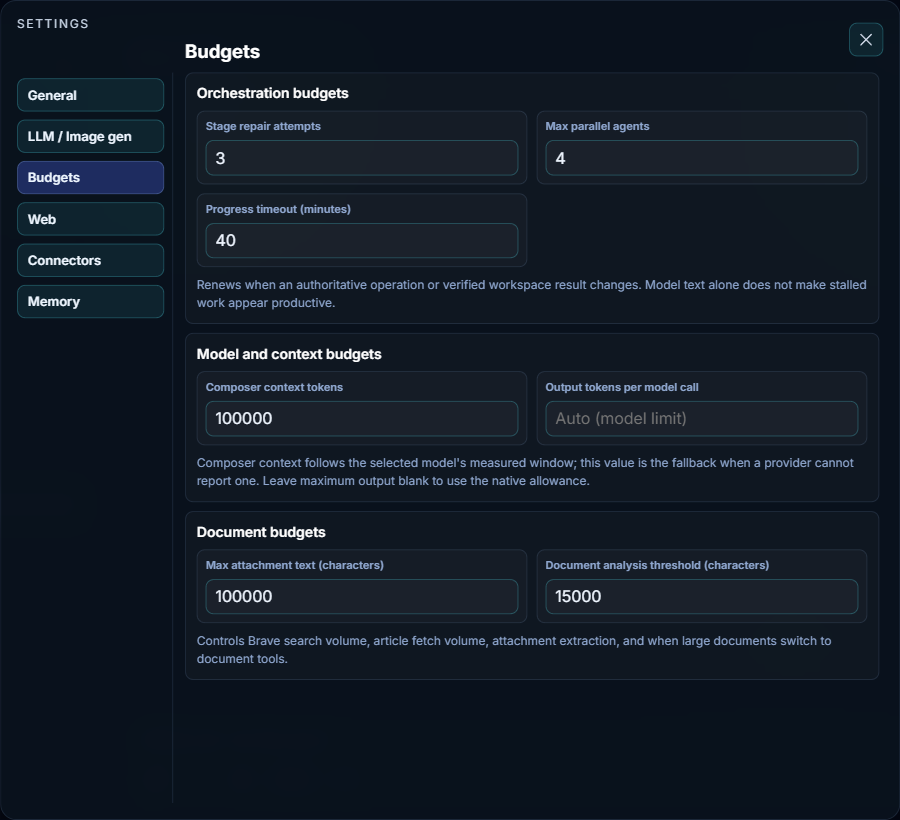
Orchestration budgets
- Max parallel agents
- How many agents, such as researchers and the coder, may run at the same time within a task. From 1 to 8; the shipped value is 4. It applies to cloud providers; agents that share a model server on your own machine or network run at most two at a time, whatever this value says. Lower it if a provider slows down or rejects requests under parallel load.
- Progress timeout (minutes)
- How long work may go without progress before Nawa stops it as stalled. From 1 to 120; the shipped value is 40. The clock restarts whenever a real operation finishes or a verified workspace result changes, so long but productive work is never cut off. Model text alone does not restart it.
- Stage repair attempts
- Nawa saves this value (1 to 6, shipped as 3), but the current version does not use it.
Model and context budgets
- Composer context tokens
- The context size the composer's gauge assumes when a provider cannot report the model's real window. Nawa normally uses the window it measured for the selected model, so this is only a fallback. The Windows app ships 262,144.
- Output tokens per model call
- The most a single model reply may contain. Blank, shown as Auto (model limit), uses the model's own allowance; any value must be at least 256. A low limit can cut useful replies short.
Document budgets
- Max attachment text (characters) and Document analysis threshold (characters)
- Nawa saves these values (shipped as 100,000 and 15,000), but the current version does not use them. The note under them describes an earlier behavior.
The point at which a long conversation is compacted is set on the LLM / Image gen tab, under Advanced.