How-to guide
Install Nawa
Nawa runs on Windows 10 and 11 as a desktop application with its own engine, bundled runtimes and sandbox. You install it once from the installer; after that it updates itself from inside the application.
Install from the installer
- Run
Nawa-Web-Setup-<version>.exe, the full installer. It is small because it downloads the application, several hundred megabytes, while it installs. - It asks who to install Nawa for and where. Keep Only for me and the suggested folder: Nawa then installs under
%LOCALAPPDATA%\Programs\Nawawithout administrator rights and creates its Start-menu and desktop shortcuts. - Leave Run Nawa checked on the last page. On the first start Nawa shows its startup screen while the engine comes up. You do not need to reopen it; the chat window appears when the engine is ready.
- The normal Windows desktop session creates its local user automatically. Connect a model provider in Settings; you do not need to register a separate Nawa account. Remote browser pairing and a separately hosted server have different authentication flows.
Nawa-Setup-<version>.exe is the update Nawa downloads for itself. It only updates an existing installation, and on a computer without one it says so and names the full installer.
Your profile is stored locally. Prompts, files and observations supplied to a cloud model or connected service are transmitted to that provider; local storage does not mean all processing stays on this computer.
Nawa keeps its files in two places. The application lives under %LOCALAPPDATA%\Programs\Nawa, with its runtimes beside it; your profile — settings, credentials, chats, artifacts, automations, memory — lives under %APPDATA%\Nawa. An update replaces the application and leaves the profile alone.
Update
Open Settings and, on the General tab, find Application updates. The row shows the installed version and a Check for updates button.
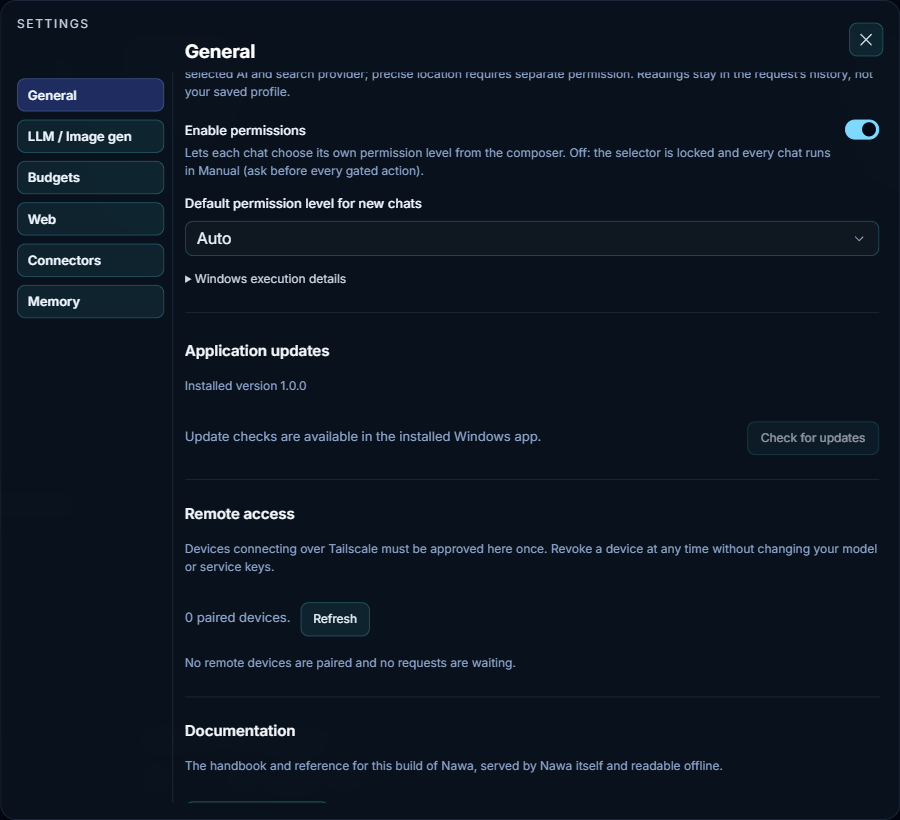
- When an update exists, Nawa downloads it in the background and shows the progress both here and in the top update control of the window; you can keep working.
- Install hands over to a small update window that stays visible while the installer runs, shows the unpacking progress, and relaunches Nawa when it is done. Other applications may come to the foreground meanwhile.
- After the relaunch, the startup screen appears again while the engine starts, and everything you had — settings, credentials, chats, artifacts, automations — is where it was.
If a check reports no update but you expect one, use Recheck after a minute: the release's metadata is published last, after its files.
What is installed with Nawa
Nawa bundles what its tools need, so nothing else has to be on the machine:
- a Node.js runtime, Git and ripgrep, used by its commands and code tools;
- a headless Chromium, used by the built-in browser tools;
- a Windows sandbox runner that runs commands at low integrity in a workspace of their own (see Permissions).
A local language model server, a cloud provider key, plugins such as Chrome control or Desktop Control, and language-server toolchains for your projects are yours to add; the following pages say how.
Read this documentation from Nawa
Settings → General → Documentation → Open documentation opens the handbook for the installed build in your browser. Nawa serves it itself, so it works offline and always matches the version you are running.
Remove
Uninstall Nawa from Windows Settings → Apps like any application. It removes the application and the runtimes beside it. Your profile under %APPDATA%\Nawa is not removed; delete it yourself if you want the chats and credentials gone.