Tutorial
Your first app
In this tutorial you ask Nawa for a small web application, watch it built and checked, open it beside the chat, and keep it. It takes ten to fifteen minutes and assumes a connected provider (Connect a provider); a coding model of its own on a local setup helps but is not needed.
1. Ask for it
Start a new chat and type:
Build me a small web app that converts between Celsius and Fahrenheit as I type, with a dark theme. Verify it works before you finish.
Send it. Nawa answers first with what it understood and hands the work to its coder — an agent with its own context that writes, runs and verifies code in the chat's workspace.
2. Watch the build
The transcript shows the coder's steps as receipts: the files it writes, the commands it runs, and the checks it makes. For a web app it opens the page in Nawa's built-in browser, reads it, interacts with it, and looks at the result — that is the verification you asked for. If a check fails, the coder fixes and checks again; you see each round.
Nawa does not claim the app works because the code was written. A build counts as done when its own verification says so, and the answer tells you what was checked.
3. Open it
When the coder finishes, the answer carries a card with the app's thumbnail and an Open pill in its corner. Click Open: the right-hand drawer slides out and the app runs inside it. Try the converter.
The pill's small arrow offers Open in Artifact Drawer, Open in External Browser — the app in your default browser — and Open in Windows Explorer, the folder with its files.
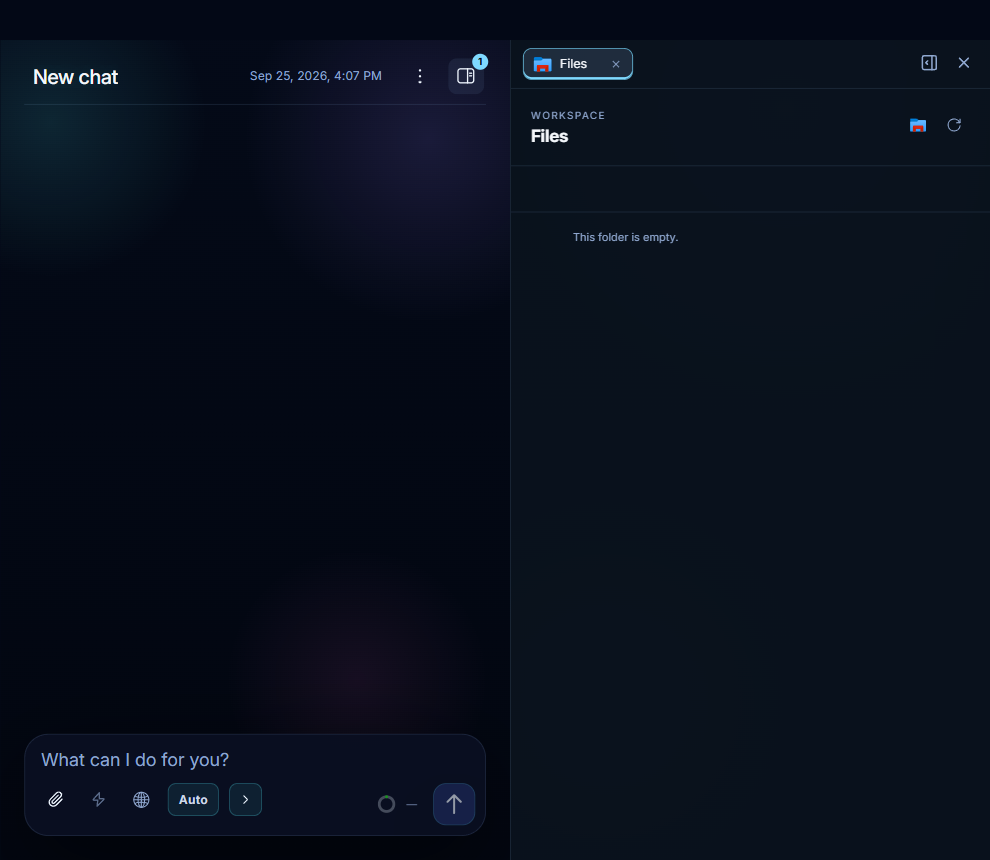
Above the app, the drawer shows a tab for it; close the drawer with its × and reopen it from the drawer button in the chat header, which counts the tabs. Each app, file or code review you open in this chat gets a tab of its own, and the drawer remembers them.
4. Change it
Type into the chat, without opening anything:
Add a Kelvin column and keep the layout.
Nawa edits and checks the app, then publishes an updated copy in the new answer. Open the new card to see the changes; a card in an older answer still opens that earlier version. The header's review icon lists the files that changed; open it to read the diffs in the drawer, side by side with the chat.
5. Keep it
An app in a chat's workspace lives with the chat. To keep it beyond that, open it and use the preview's save control: Save as new stores it in your Artifacts library as a snapshot with a title and a thumbnail; Update current replaces an earlier snapshot of the same app when that preview has recorded artifact lineage.
Artifacts in the sidebar shows everything you kept, from any chat. Open one there: the library opens its saved application view, from its own copy of the files. A saved artifact opened from a chat can also use the chat's drawer.
What you have seen
- The coder: an agent that builds in a workspace and verifies its own work with the same browser tools Nawa uses elsewhere (
browser_snapshot,browser_interact). - The drawer: one place beside the chat where apps, files and code reviews open, one tab each.
- Artifacts: kept snapshots of apps, independent of the chats they came from.
The same drawer opens the files a chat delivers — click a file's Open pill — and the code review; Permissions explains what the coder may do without asking, and Plugins and connectors adds Chrome and the desktop to what it can drive.
The browser tools
When the coder drives a browser, two tools do most of the work: browser_snapshot reads the page as a list of elements, and browser_interact clicks, types and scrolls. The coding model selects the action and exact target, then inspects the observed result with its browser tools. Decision-model settings do not alter these tools. The workspace tools reference lists their parameters.